
FIELD SYSTEM / 001 AN INTERACTIVE PREPPER EXPERIENCE
When the signal fades,
your plan stays.
Power fails. The road changes. The network goes quiet. Explore a calmer way to prepare the information, equipment and people you may need to reach.

01 / PRESSURE TEST YOUR PLAN
Choose a situation.
See what matters.
This is a guided planning example, not a live emergency feed. Change the scene, compare what needs a connection, then open a complete Prepper guide.
SELECT A SITUATION
TRY A CONNECTION CHANGE
What happens to information you did—or did not—save?
Keep essential power within reach.
A tested phone, light and charging setup can help you use the information you already prepared.
This preview does not detect a hazard, determine readiness, load a map, or save private account data. Keep current local guidance and an emergency communication path available.
02 / FOUR USEFUL LAYERS
A kit is more than
things in a bag.
Explore what you can start on the web today, and what the Prepper native app is still validating. Each layer links to something specific.
Know your route
before you leave.
Check coverage, open the saved file with data off and carry an alternative. The native app’s regional maps and GPS need device validation.
Read the map check ↗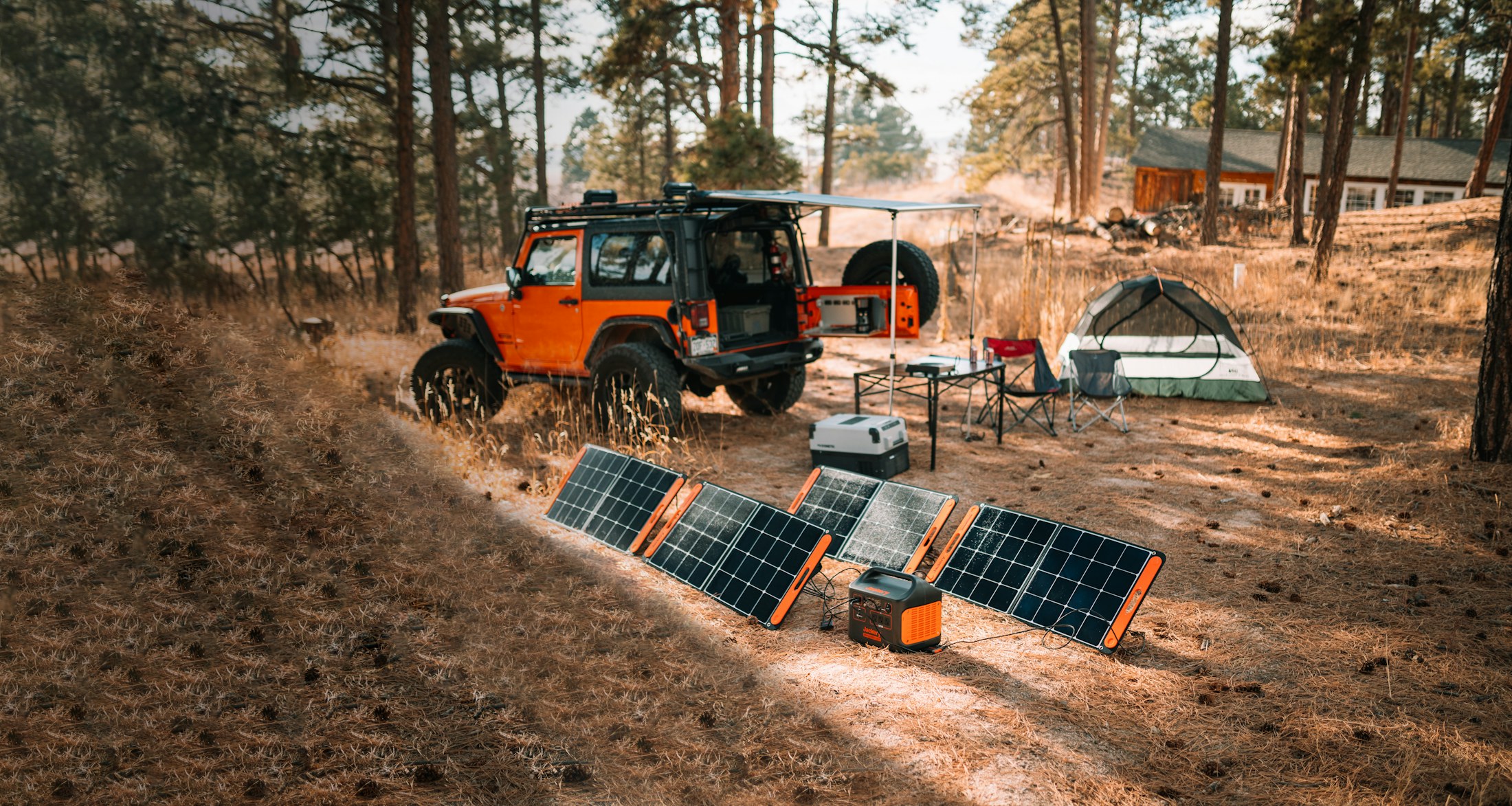 02 / KEEP IT RUNNING
Make power
part of the plan.
Match the cable, port, battery and light you actually own. Try the charging-and-light station project.
Open the project ↗Keep the answers
you will look for.
Read practical lessons, review their steps and print a copy. Larger reference archives are a separate setup choice.
Explore all Essentials ↗Ask before
you need to.
Read real community discussions for free. New replies need a connection; posts and private messages follow sign-in and moderation rules.
Visit the message board ↗03 / A SMALL PRACTICE PLAN
Build a field card.
Find the gaps early.
Choose a stage and mark what you have actually checked. Print or download the plan for later review. It stays in this browser visit until you leave or reload.
A checkmark does not certify safety or readiness. Adjust the plan for your household and current local instructions.
BEFORE ANY INTERRUPTION
Start while everything still works.
Choose what to keep, check your equipment and agree where to look for help.
OFFLINE BEGINS BEFORE THE OUTAGE
04 / THE PRACTICE THAT COUNTS
Download it.
Then prove it opens.
An offline link is only useful when the actual file is on your device. Reopen a saved guide or map with mobile data and Wi-Fi off. Check its coverage and power needs. Keep paper and human backups where they help.
- 01
Save the specific guide, map or file while connected.
- 02
Check its size, source and the region it covers.
- 03
Reopen it without a connection before relying on it.
05 / ONE PREPPER ECOSYSTEM
Four entrances.
Your choice where to start.
These sites introduce different parts of the same Prepper project. Account, community and membership actions lead back to the existing Prepper service.
A simpler path into the app and everyday household planning.
Visit PrepperAP ↗ 02 / MAKE & LEARNPrepperIPPractical projects, free Essentials and the Prepper workshop.
Visit PrepperIP ↗ 03 / OFFLINEOffline SurvivorRehearse what changes when power, connection or travel is disrupted.
You are here ↑ 04 / DIGITAL RESILIENCERogue AIExplore information trust and practical digital response plans.
Visit Rogue AI ↗Use the existing Prepper sign-in and membership pages. This website does not create another account or collect payment.
PREPARE NOW · PRACTISE OFTEN
A useful plan is one
you can actually open.
Start with a free lesson or project. Explore the app when you are ready. Keep an emergency route to local help.
The protected native Toolkit is in development; checkout is not offered on this page.